Helios
A local-first personal AI and life OS — memory and tools on your hardware, with a module per domain instead of a chatbot with plugins.
What this is
Helios is my personal life management system. Not a chatbot with plugins — a core that remembers, pays attention, and calls tools, with a module for each domain: finance, journal, tasks, docs, mail, world events, investing, habits, books, and learning.
It runs on my hardware. Journal entries, receipts, and anything tagged health or identity stay on the box even if a cloud model is attached later. The public snapshot is on GitHub under MIT, so other people can run the same stack without inheriting my house, my car, or my secrets.
This is the third architecture. V1 was a tightly coupled dashboard. V2 was a 3D graph in Godot. Both taught me that the UI and the data plane have to be separable. This version is modular: each domain is its own Docker service, and chat only sees the tools those services register.
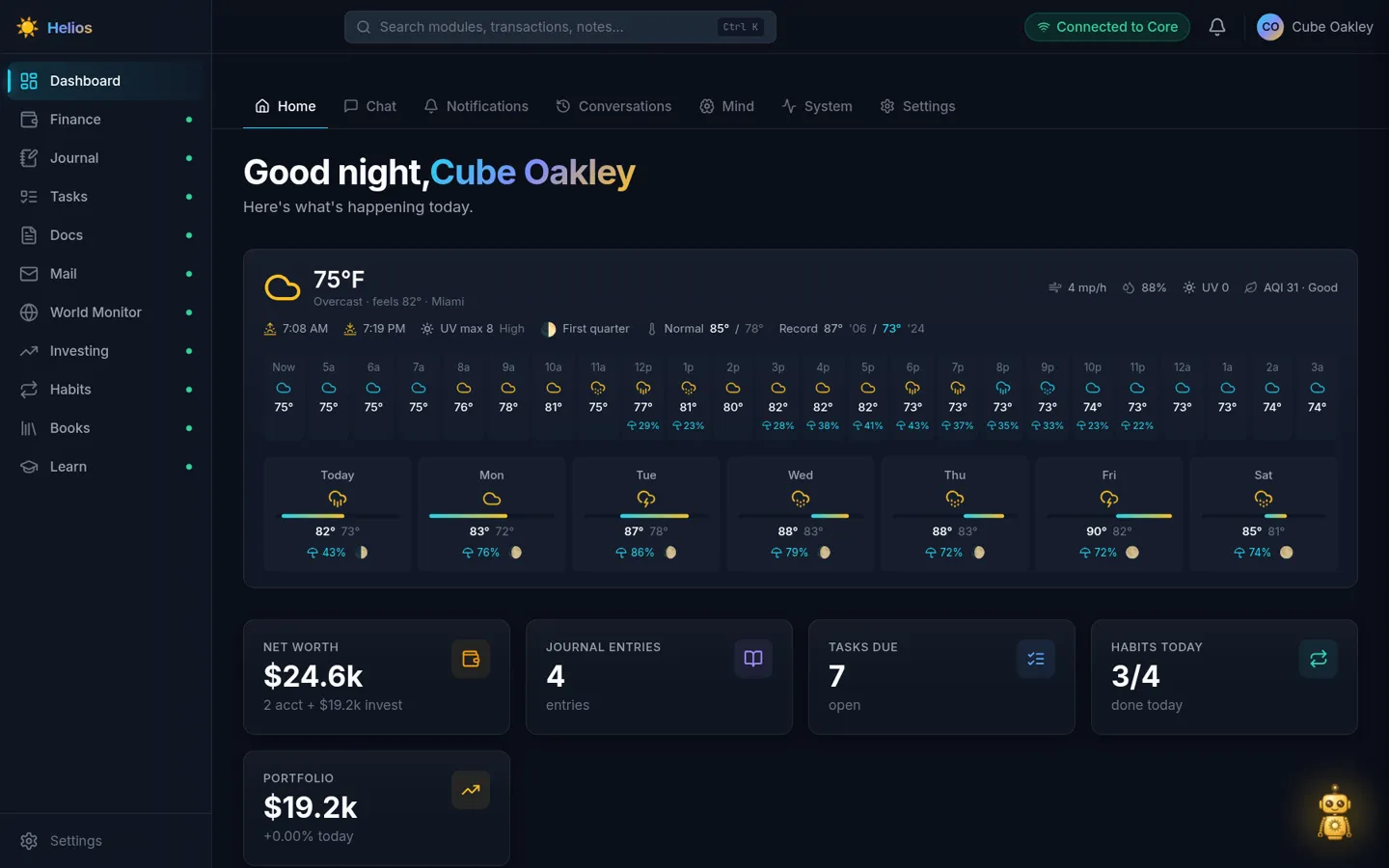
The home view is the briefing: weather, net worth, journal count, tasks due, habits for today, portfolio. The sidebar lists whatever modules Core currently has registered — bring up a subset and the rest disappear.
Architecture
Core is the brain: Postgres with pgvector, Neo4j, Redis, an orchestrator, memory, and the LLM router. It does not own the journal or the bank data.
Modules own domain data. They register tools and a UI. The dashboard iframes those UIs and proxies chat to Core.
Chat turns assemble a system prompt — identity, mode, what Helios knows about you — then call module tools. A sensitivity firewall keeps journal, finance, identity, and health off cloud models.
browser → dashboard :8001 → core (docker network)
                ↓
         module UIs :8004…
Every module also runs standalone (docker compose up in its directory) with no core at all.
Chat
The assistant is wired to those tools: “what’s due today”, “how much did I spend on groceries”, “find that note about the lease”. Conversations become searchable memory.
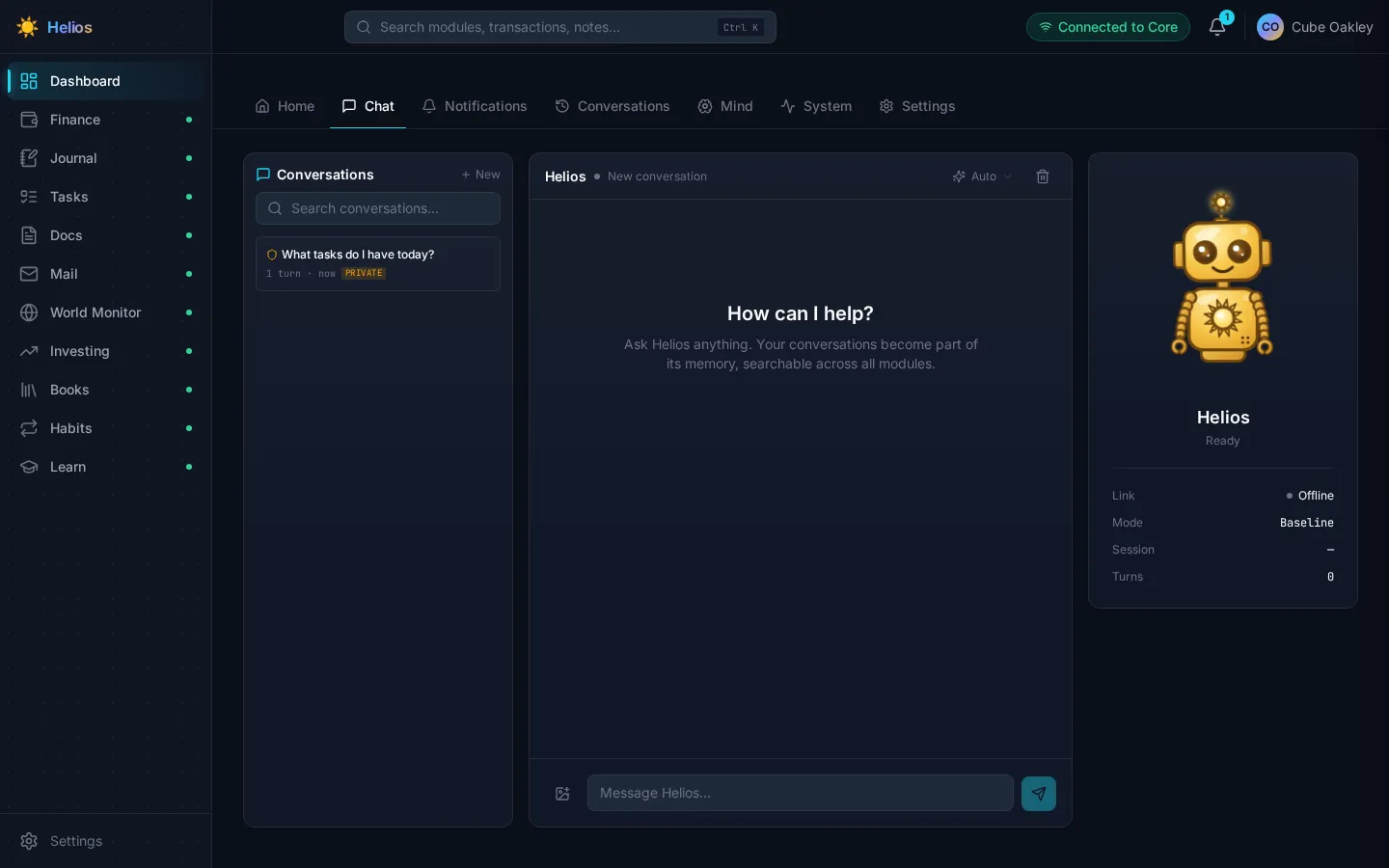
A demo profile ships a mock OpenAI-compatible sidecar so the UI works with no GPU and no API key. Real answers come from Ollama, llama.cpp, vLLM, or a metered OpenAI / xAI key pointed at from first-run setup.
Finance
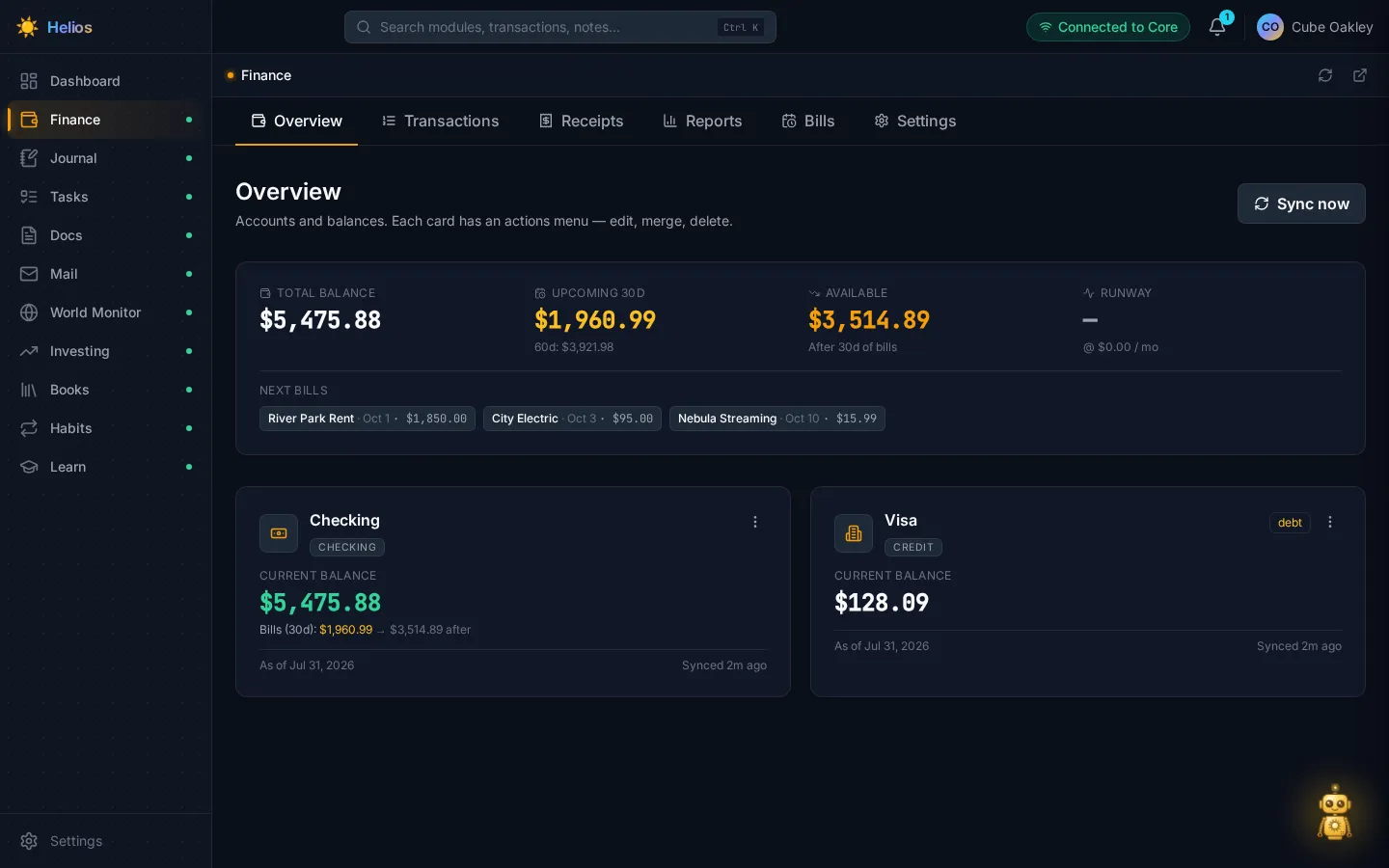
Accounts, balances, transaction search, per-transaction notes, rule-based categorization. SimpleFIN bank sync (access URLs encrypted at rest) and CSV import. This is the flagship module — most of the money path, and the best-tested one.
Journal
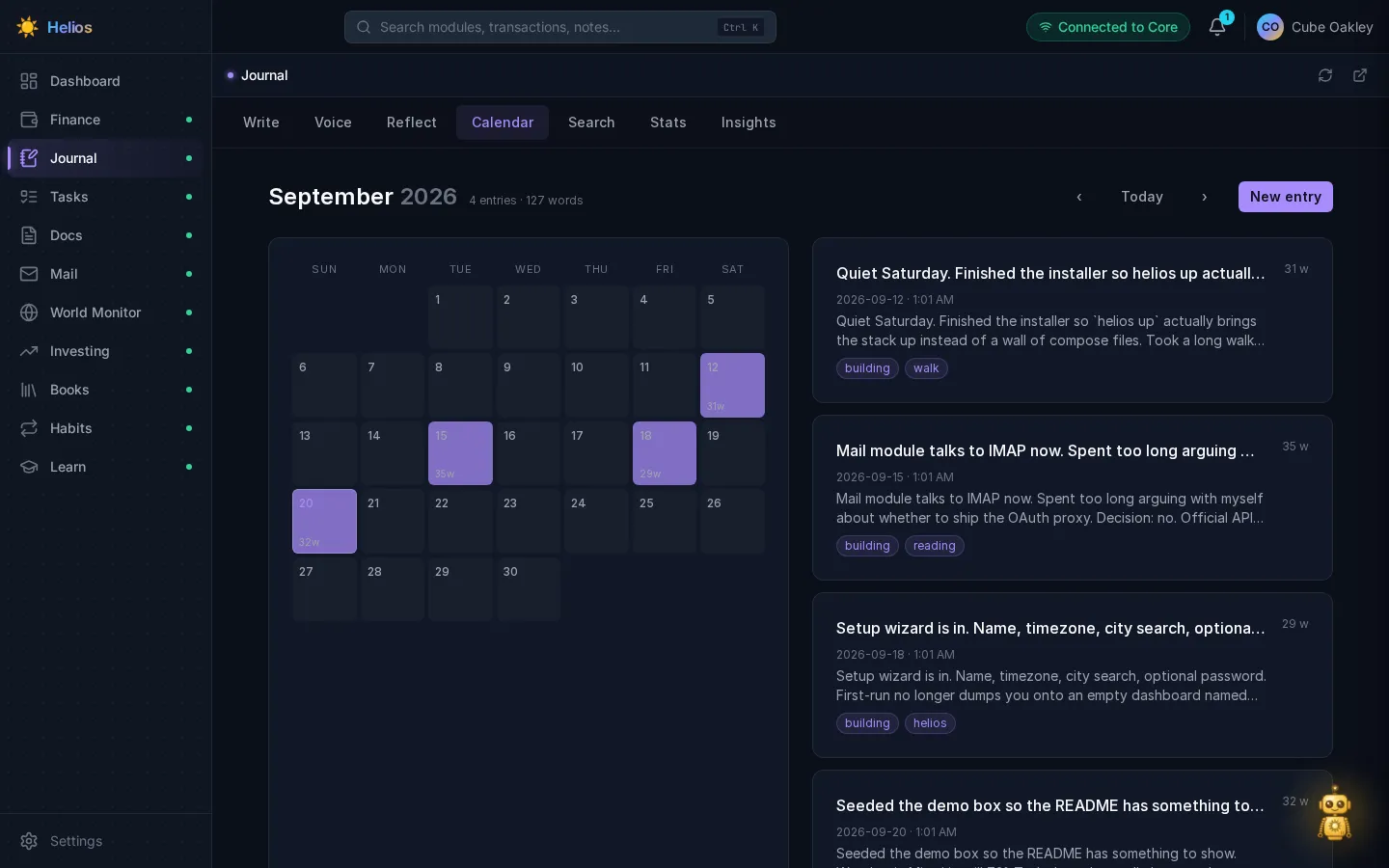
Daily writing with voice capture, a calendar, search, stats, and insights. Entries are tagged and stay local. Chat can log a thought or search “what have I written about X”.
Tasks
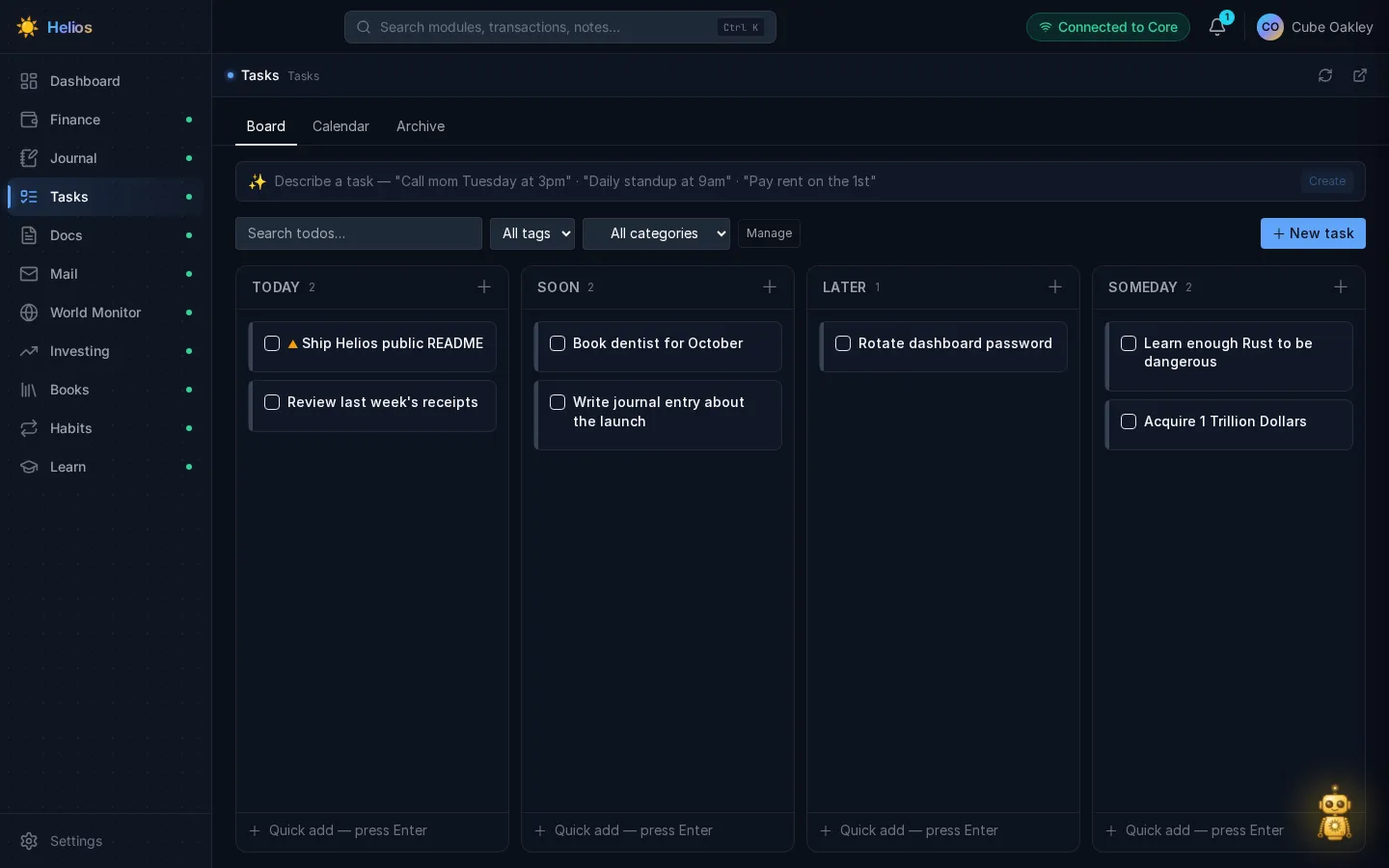
A kanban with Now / Soon / Later / Someday. Due dates, recurrence, tags, importance. Chat can create, complete, and query them; recurring items spawn the next instance when you check one off.
Docs
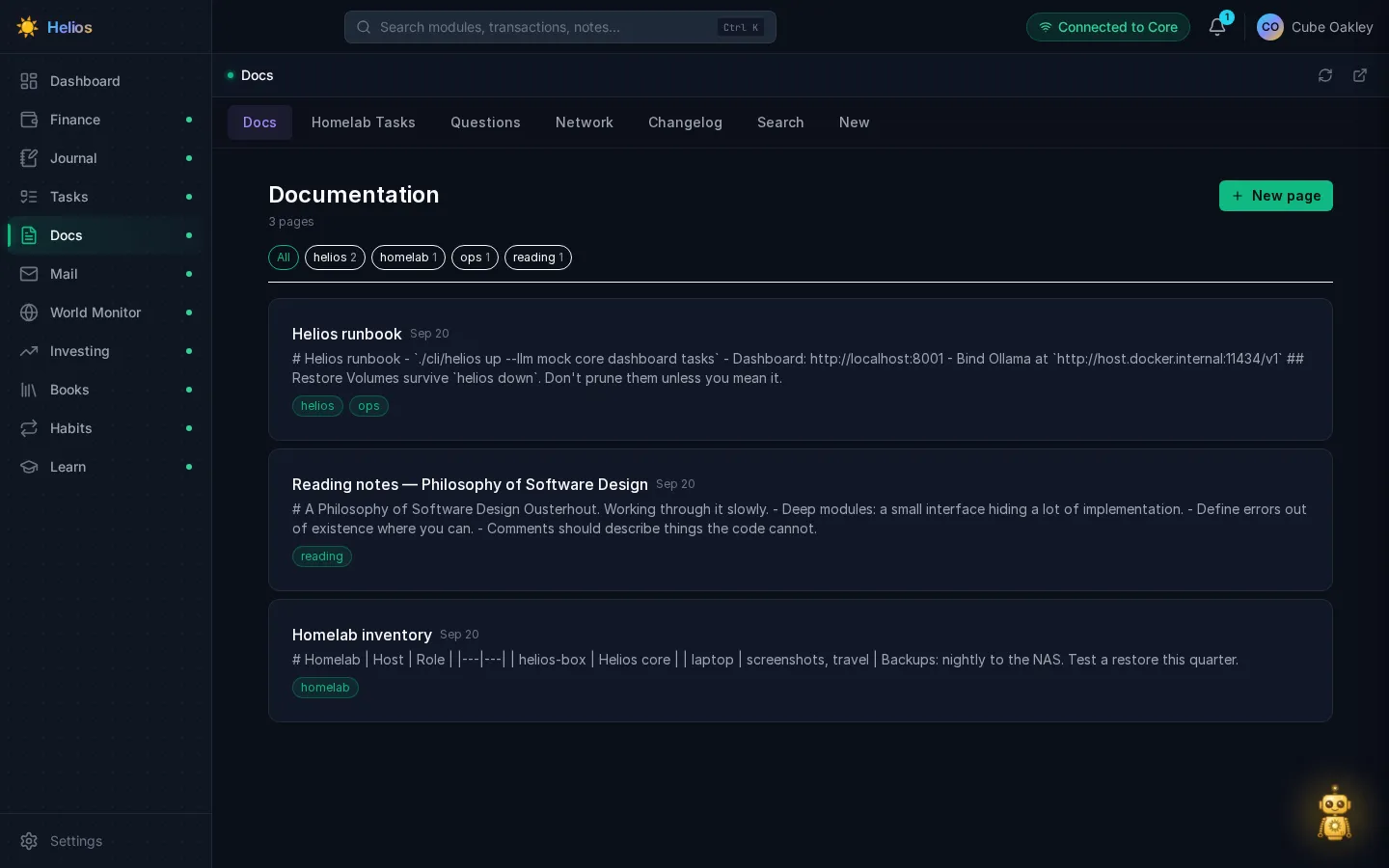
A personal wiki. Markdown pages, tags, hybrid keyword + semantic search so chat can answer questions from notes instead of guessing.
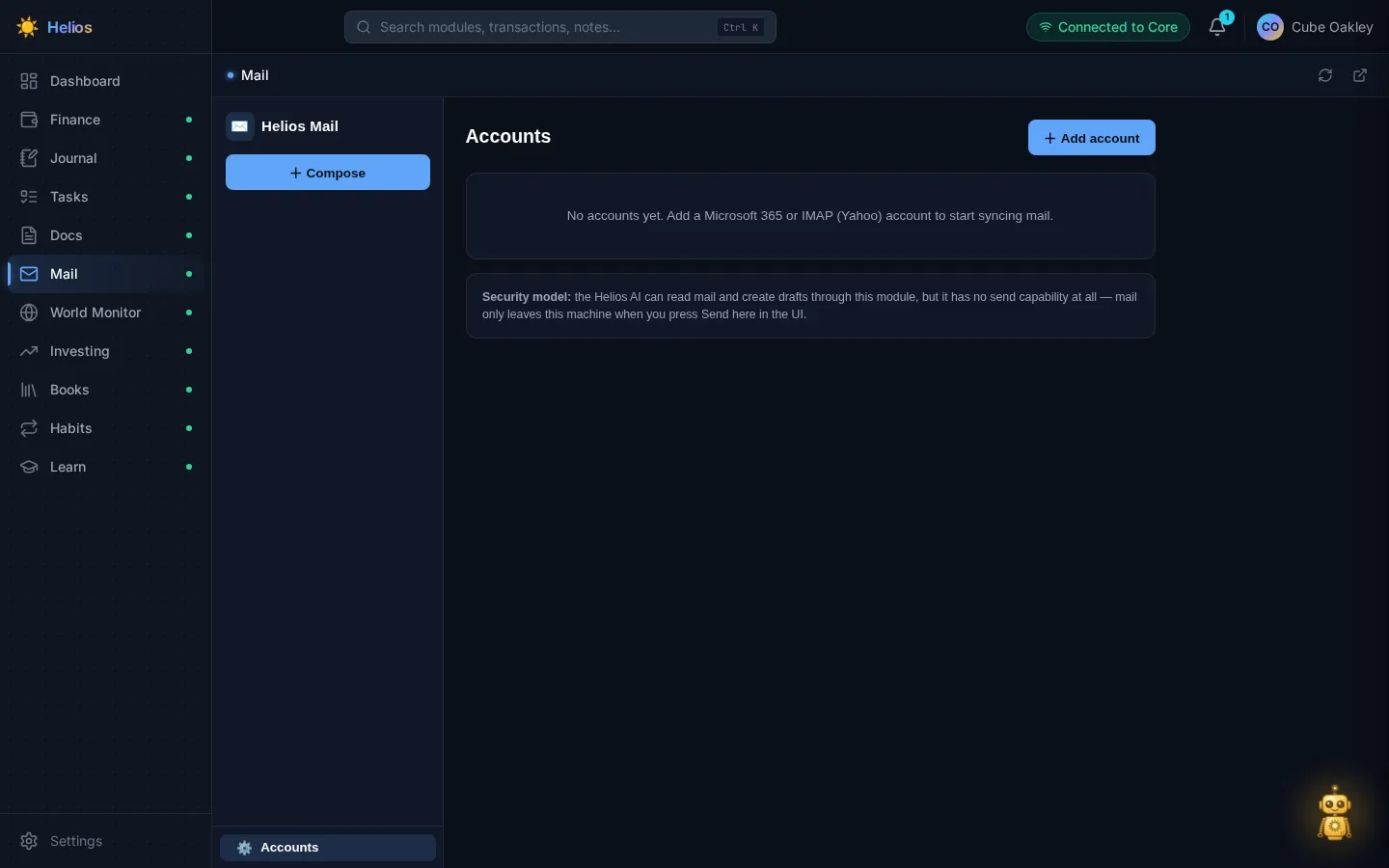
A local mail store with a three-pane client. Microsoft 365 via device-code flow; IMAP is in progress. Full-text search over a local SQLite index. Remote images are blocked until you opt in on a message.
The AI can read and draft. It cannot send. Send lives on a separate UI-token surface so a prompt injection in an email cannot become data exfiltration.
World monitor
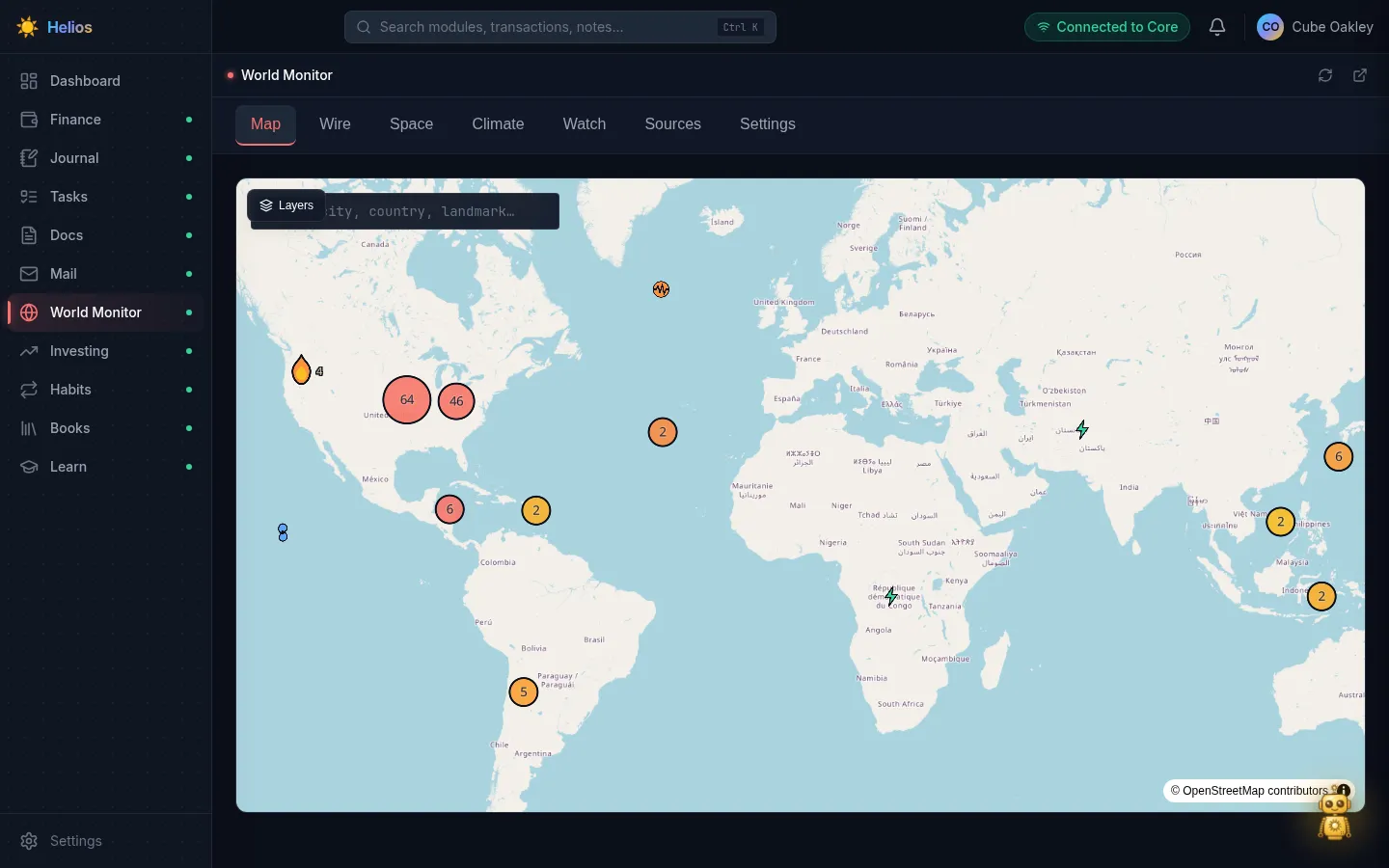
Live event streams, not a map gadget. Adapters pull wildfires, storms, quakes, space weather, climate, and similar feeds; watch rules fire when something matching a region, severity, or keyword shows up. The map is one view — Wire, Space, Climate, and Sources sit next to it. Chat can ask what’s active without you staring at the globe.
Investing
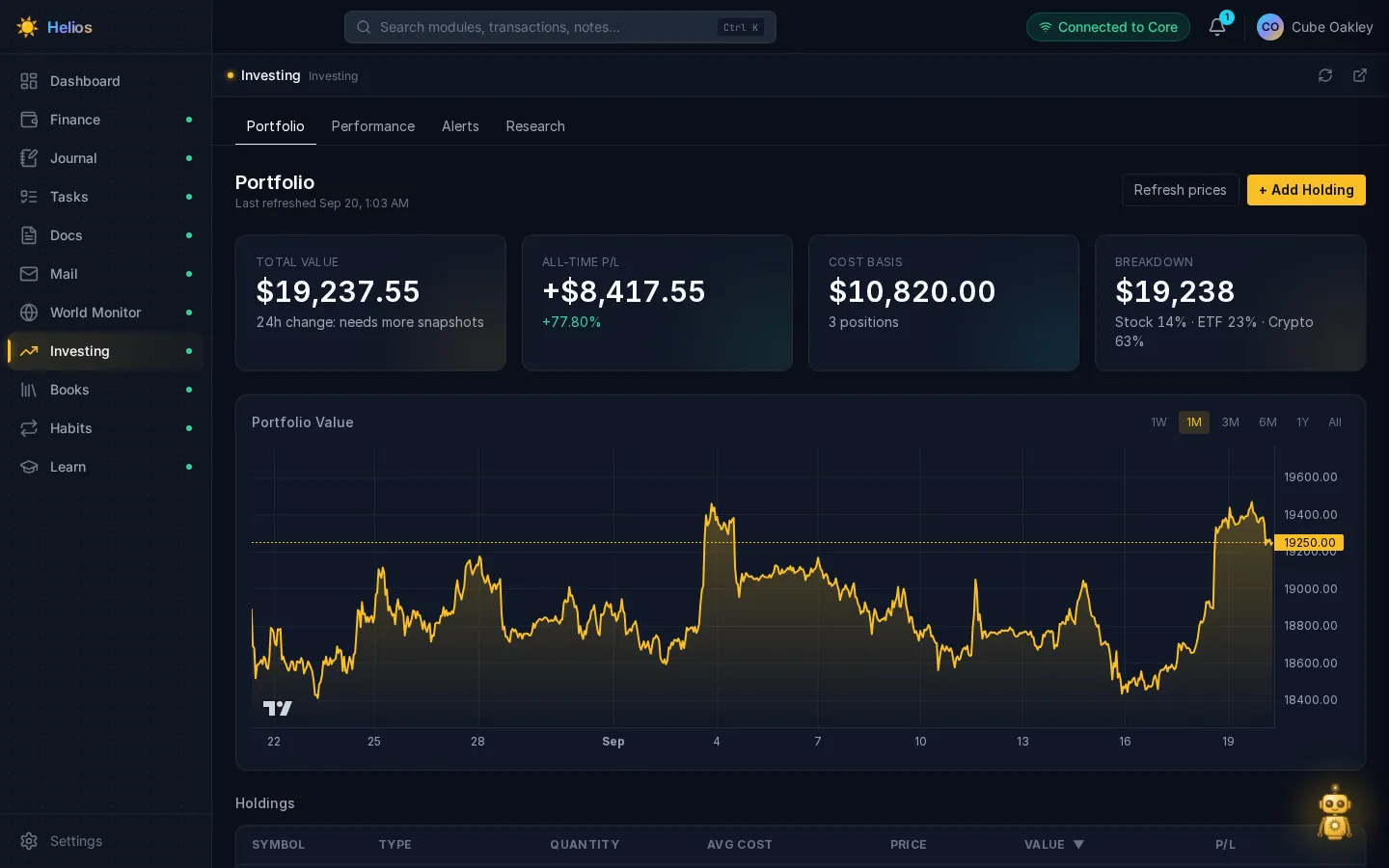
Holdings across stocks, ETFs, crypto, and metals. Portfolio value, 24h change, per-class breakdown, price-threshold alerts.
Habits
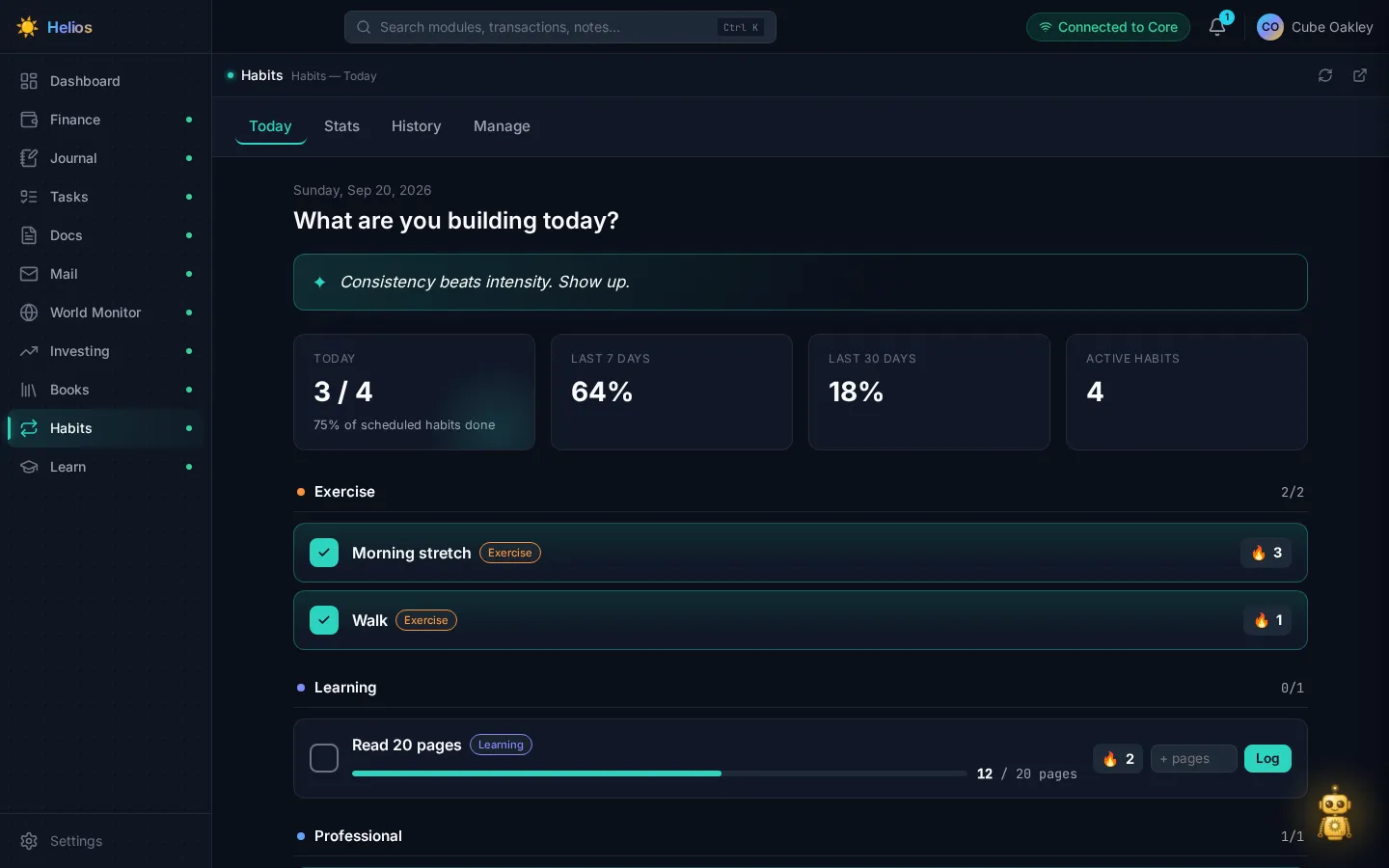
Streaks, today / stats / history, grouped by category. Checkboxes for things like a morning stretch; quantity habits for “read 20 pages”.
Books
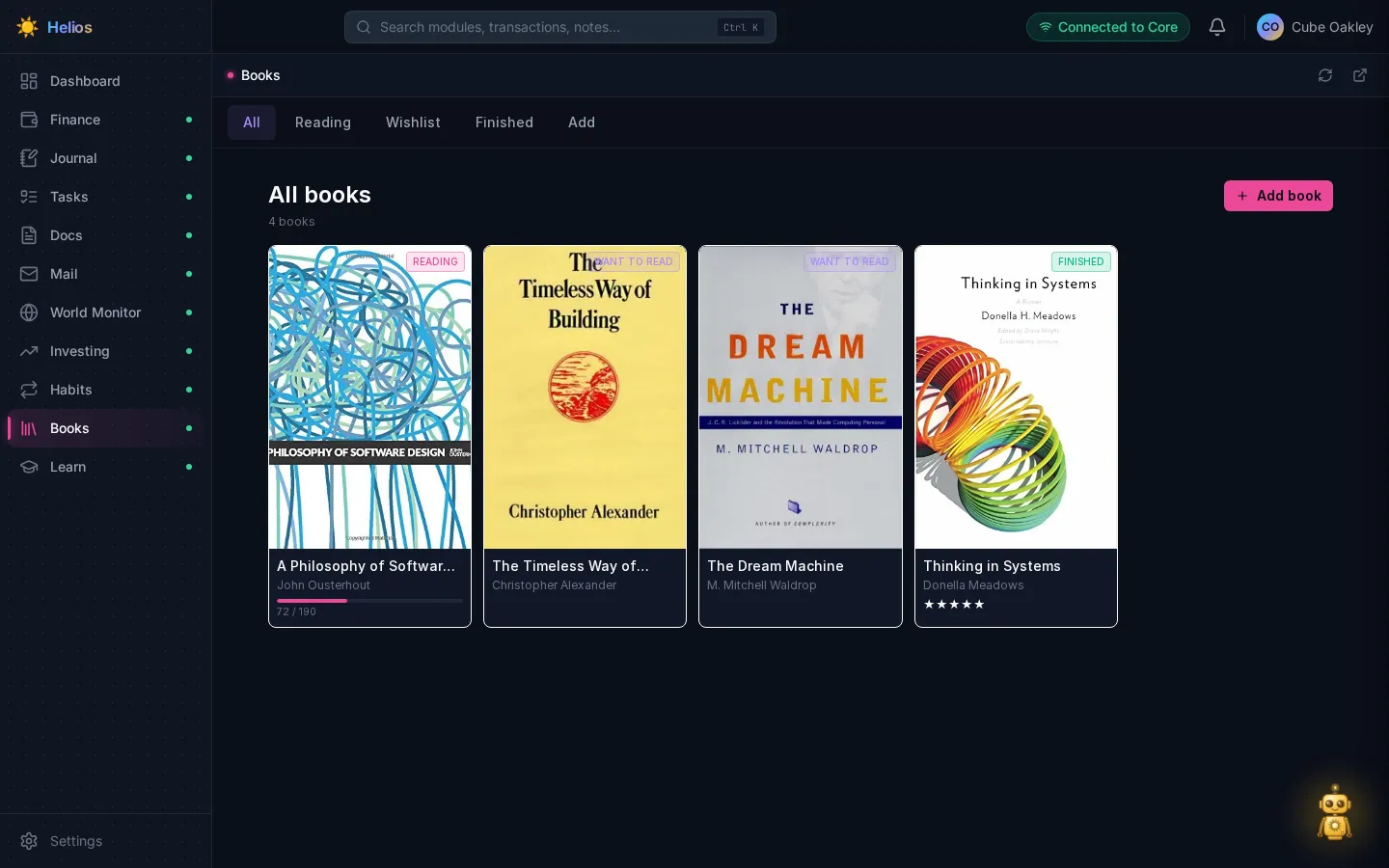
Reading / wishlist / finished, covers, progress bars, ratings.
Learn
Subjects, tutored lessons, spaced-repetition reviews. Chat can report progress and start a subject; the actual tutoring stays on the Learn page.
Running it
Docker Compose v2. No GPU for the demo profile. The stack itself is a couple of GB of RAM with every module up — Neo4j is the hog (512 MB heap cap). A local model is extra if you bind one.
./cli/helios init
./cli/helios up --llm mock core dashboard finance journal tasks docs mail worldmonitor investing habits books learning
Open http://localhost:8001. First visit is setup: name, timezone, a city for weather, optional model, optional dashboard password.
Bring up only what you want. Core and dashboard are implied if you name a module.
What’s public, what’s not
The public tree is a sanitized snapshot with an installer: Cube-Oakley/helios. Home automation, vehicle telemetry, wellness, backups, and community monitors stay on the private box — they’re too tightly bound to one house.